How to Buy Balls in Kick Ball to Space
Turn kick cash into smarter Ball upgrades without inventing fake prices.
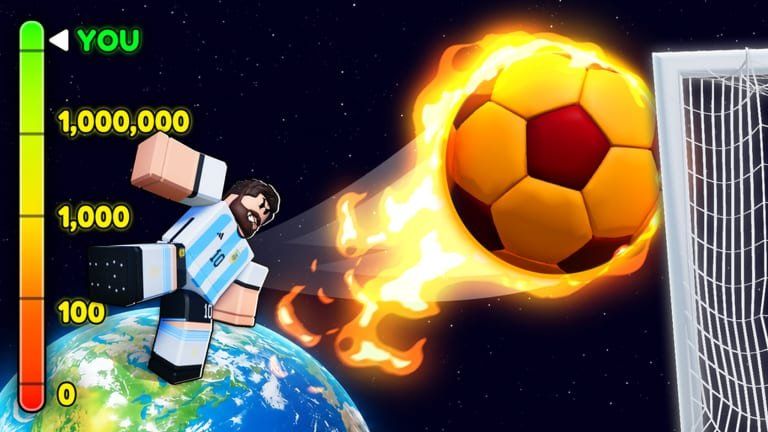
Buying Balls is the main early-game spend in Kick Ball to Space. Cash from kicks exists so you can climb the Ball ladder, not so you can stare at the shop forever. This guide explains how to buy Balls the smart way: earn, evaluate, purchase, then prove the upgrade with real kicks.
Earn cash before you browse
You cannot buy what you have not earned. Follow the loop from How to Play: click Power, kick, collect cash. Improve Power gain with How to Get Power and Boosts Explained so each shopping trip happens sooner. Friends add +5% Power each; Premium adds +10% Power - both indirectly speed Ball purchases.
Open the live shop - ignore rumor prices
This wiki does not invent Ball prices. Shop values live in the Roblox client and can change on Saturday updates. When a YouTube thumbnail lists exact cash costs, treat them as possibly outdated. Your source of truth is the in-game shop after you join Kick Ball to Space.
A calm purchase checklist
- Note your current Ball and cash.
- Open the Ball shop and read the next upgrade description.
- Compare against your cash - leave a small buffer if you still need practice kicks.
- Buy only when the upgrade is the clear next step.
- Kick several times with the new Ball before buying again.
- Log how distance and cash feel; decide whether to push further or save toward Legends.
Priority beats novelty
Not every Ball on the shelf is equal for your current stage. Use Balls for the item overview and Balls Tier List for ranking guidance. Tier pages help you choose direction; the live shop tells you the cost. Pair both instead of buying the flashiest icon.
When to pause Ball buying
Pause Ball upgrades when:
- You are one solid farm from a Legend goal - see How to Get Legends
- You have not learned Power timing yet
- A Saturday patch is hours away and you want to see new shop entries first - Saturday Schedule
- You are tempted by unverified “free Ball” codes - check Working Codes; the list is empty today
Balls versus Legends
Balls improve the kick tool. Legends are soccer character unlocks further up progression. Early cash almost always belongs in Balls. Mid-game, split attention using Legends and Legends Tier List. Group players should also review Group Rewards for exclusive Legend access from Free Kick by Mook.
Avoid these shop traps
- Impulse buys right after one lucky kick
- Trusting outdated price screenshots
- Skipping Power boosts while blaming the shop for being expensive
- Using risky Buy Ball automation without understanding bans - see Scripts Hub and Auto Farm Scripts
- Ignoring Latest Updates after Saturday when the shop may have shuffled
Prove every upgrade
After purchase, run a short test: fill Power, kick three times, compare cash and feel to your previous Ball. If nothing changed, you may have misread the shop or kicked on low Power. Upgrades shine when Power discipline stays high.
Related pages to keep nearby
- Guides Hub
- How to Play
- How to Get Power
- Items Hub
- Tier List Hub
- Boost Calculator
- Codes Hub
- Links Hub
Session plan for your next Ball
Farm with friends if available, keep Premium active if you have it, click Power cleanly, kick for cash, open the shop once, buy the planned Ball, then leave the shop. Closing the shop prevents doomscrolling skins you do not need. Reinvest the improved kicks into the next clear goal - another Ball or a Legend milestone.
Buying Balls well is budgeting with momentum. Earn honestly, verify prices in-game, and let each Ball earn its keep before the next purchase.
Cash buffer rule
Keep enough cash for at least one more meaningful Ball after your next buy when possible. Emptying the wallet on a maybe-upgrade forces panic kicks. Confirm live prices, buy once, test, then reopen Balls Tier List.
Frequently Asked Questions
Quick answers about Kick Ball to Space progression, codes, and boosts.
Where do I buy Balls in Kick Ball to Space?
Open the in-game Ball shop after earning cash from Power-charged kicks. Prices are only accurate in the live client.
Why does this wiki omit Ball prices?
Costs change with updates. Inventing numbers would mislead players - always check the shop yourself.
Should I buy every Ball in order?
Follow live affordability plus the Balls Tier List for priority. Skip impulse icons that do not help your stage.
Do boosts make Balls cheaper?
Boosts raise Power and kick value, so you earn cash faster. They do not change the sticker price.
Can scripts auto-buy Balls?
Some unofficial tools advertise Buy Ball features. They are risky - prefer manual purchases and read Scripts Hub.
When should I save for Legends instead?
When your current Ball is strong enough and a Legend goal is close - see How to Get Legends.